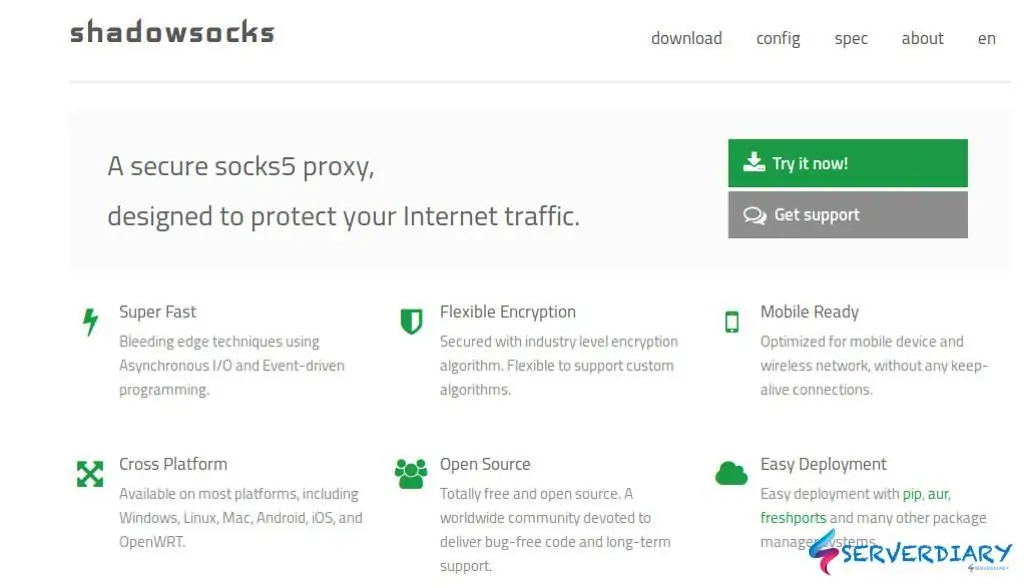
This article explain how to install Shadowsocks server on Centos 7, create configuration and connecting Shadowsocks client to your server.
Shadowsocks is secure socks5 proxy, designed to protect your Internet traffic.
You can also use Shadowsocks to bypass blocked internet.
If your school, office or government is blocking your internet, you can easily bypass with Shadowshocks.
The advantages of Shadowshocks:
- Super Fast, Bleeding edge techniques using Asynchronous I/O and Event-driven programming.
- Flexible Encryption, Secured with industry level encryption algorithm. Flexible to support custom algorithms.
- Mobile Ready, Optimized for mobile device and wireless network, without any keep-alive connections.
- Cross Platform, Available on most platforms, including Windows, Linux, Mac, Android, iOS, and OpenWRT.
- Open Source, Totally free and open source. A worldwide community devoted to deliver bug-free code and long-term support.
- Easy Deployment, Easy deployment with pip, aur, freshports and many other package manager systems.
You can read more about Shadowshocks on https://shadowsocks.org/en/index.html or on Github page.
If you want to use it yourself, you can buy a VPS and install the Shadowsocks server and use it without a hitch or share speed with others.
Instead of subscribing to a VPN, it’s still cheap if you subscribe to a small VPS with a low specification, 1 processor and 1GB of RAM, the price between 3-5 USD.
Install Shadowsocks server on Centos 7
Update your Linux system repositories, then download and install all the dependencies:
## For Centos 7
# yum update -y
# yum install epel-release -y
# yum install m2crypto python-setuptools
# yum install -y gcc gettext autoconf libtool automake make pcre-devel asciidoc xmlto udns-devel libev-devel libsodium-devel mbedtls-devel git m2crypto c-ares-devel
# For CentOS 8
# yum install gcc gettext autoconf libtool automake make pcre-devel asciidoc xmlto c-ares-devel libev-devel libsodium-devel mbedtls-devel -y
Example you want to use /usr/src. Now change to your designed directory and clone Shadowshocks from github
# cd /usr/src
# git clone https://github.com/shadowsocks/shadowsocks-libev.git
# cd shadowsocks-libev
# git submodule update --init --recursive
# ./autogen.sh
# ./configure
# make && make install
Add user for Shadowshocks and create Shadowshocks configuration directory and file.
# adduser --system --no-create-home -s /bin/false shadowsocks
# mkdir -p /etc/shadowsocks
Create the Shadowsocks configuration file on /etc/shadowsocks/shadowsocks.json.
By default Shadowsocks port is 8388.
You can change it to custom configuration on shadowsocks.json.
In this case we use port 26789. Below sample working Shadowshocks configuration file for /etc/shadowsocks/shadowsocks.json
{
    "server":"178.128.xxx.xxx",
    "server_port": 26789,
    "password":"your_password",
    "timeout": 300,
    "method": "aes-256-gcm",
    "fast_open": true
}
Create Shadowsocks Systemd service
Shadowsocks Systemd service to allows the daemon to automatically start on system boot and run in the background.
Using nano, vim or text editor in /etc/systemd/system/shadowsocks.service and then paste the following code.
[Unit]
Description=Shadowsocks proxy server

[Service]
User=root
Group=root
Type=simple
ExecStart=/usr/local/bin/ss-server -c /etc/shadowsocks/shadowsocks.json -a shadowsocks -v start
ExecStop=/usr/local/bin/ss-server -c /etc/shadowsocks/shadowsocks.json -a shadowsocks -v stop

[Install]
WantedBy=multi-user.target
Change permission /etc/systemd/system/shadowsocks.service to 755.
Reload daemon, enable and start shadowsocks.service
# chmod 755 /etc/systemd/system/shadowsocks.service
# systemctl daemon-reload
# systemctl enable shadowsocks.service
# systemctl start shadowsocks.service
Add firewall rule on Shadowshocks port that you specify on your configuration, example port 26789.
## Firewalld
# firewall-cmd --zone=public --add-port=26789/tcp --permanent
# firewall-cmd --zone=public --add-port=26789/udp --permanent
# systemctl reload firewalld

## Iptables:
# iptables -4 -A INPUT -p tcp --dport 26789 -m comment --comment "Shadowsocks server listen port" -j ACCEPT

## UFW
# ufw allow proto tcp to 0.0.0.0/0 port 26789 comment "Shadowsocks server listen port"
Shadowshocks server running, you need to download Shadowshocks client and use your Shadowshocks server.
Download Shadowshocks client at https://shadowsocks.org/en/download/clients.html
Shadowsocks Client on Ubuntu
On Ubuntu and any modern 64-bit PC Linux distributions that newer than Debian Wheezy, you can download the latest AppImage file from Releases page https://github.com/shadowsocks/shadowsocks-qt5/releases and then add execution permission.
# chmod a+x Shadowsocks-Qt5-x86_64.AppImage
# ./Shadowsocks-Qt5-x86_64.AppImage
Connect Shadowsocks client on Ubuntu to your server.
- Click Connection
- Choose Add -> Manually
- Server address is IP Shadowsocks server IP (178.128.xxx.xxx)
- Server Port is Shadowsocks server port (26789)
- Password id Shadowsocks server
- Encryption is Shadowsocks server method (aes-256-gcm)
- Save and giva name of profile
- For start on boot or auto connect choose setting menu

Set your chrome or firefox to socks proxy and then check your IP address.
Make sure that public see your Shadowsocks server address, not your device IP address.
Shadowsocks does not have proxy setting. If you have problem because your internet using proxy server, please read this article How to redirect traffic through proxy using Proxychains
Shadowsocks Client on Android
Go to Google Play Store and search Shadowsocks or click here https://play.google.com/store/apps/details?id=com.github.shadowsocks
Open Shadowsocks client on Android, click plus icon on top to add new connection, choose manual setting and fill your server detail.

Click menu, choose setting for additional setting is available, auto connect, TCP Fast open and other setting.

Click logo to connect. Don’t forget to check your IP address to make sure it’s your server’s IP address.
Shadowsocks Client on Mac OS
After download and run Shadowsocks on Mac, icon will appear on top right of your Mac OS.

Click the icon, then go to server and choose Server Preferences. You will see window like below.

Click Plus sign on bottom left. And configure youre server detail.



Very valuable information, it’s not at all blogs that we
find this, congratulations I was looking for something like
this and found it here.
Best regards,
Boswell Schneider