On other post, we create an article how to obtain Let’s Encrypt SSL Certificate on Centos 6/7/8 or RHEL 6/7/8.
As we know, Let’s Encrypt SSL Certificate is expired in 3 months.
If we only have one or two SSL Certificate, it’s may be not a big problem.
Also Read: How to obtain Let’s Encrypt SSL Certificate for Apache or Nginx using Certbot
But how if we have about 100 or 200 SSL and generate in different date?
Yes there is a big problem, even Let’s Encrypt will remind us when SSL Certificate will expired in about 30 or 15 days.
We can use Linux cronjob, and I ever use it. But it’s not good idea.
Better way is using systemd service and systemd timer.
Create systemd.service and systemd.timer to renew Let’s Encrypt SSL Certificate
We use Certbot with stand alone when we obtain new Let’s Encrypt SSL Certificate.
Renewal configuration is on /etc/letsencrypt/renewal
Now check file on /etc/letsencrypt/renewal, for example /etc/letsencrypt/renewal/serverdiary.com.conf
# renew_before_expiry = 30 days
version = 1.0.0
archive_dir = /etc/letsencrypt/archive/serverdiary.com
cert = /etc/letsencrypt/live/serverdiary.com/cert.pem
privkey = /etc/letsencrypt/live/serverdiary.com/privkey.pem
chain = /etc/letsencrypt/live/serverdiary.com/chain.pem
fullchain = /etc/letsencrypt/live/serverdiary.com/fullchain.pem

# Options used in the renewal process
[renewalparams]
authenticator = webroot
account = hidden
server = https://acme-v02.api.letsencrypt.org/directory
webroot_path = /home/serverdiary/public_html
post_hook = systemctl restart nginx
[[webroot_map]]
Because webroot_path is same, so there is no configuration on webroot_map
Example webroot_map on single SSL with different webroot_path
[[webroot_map]]
serverdiary.com = /home/serverdiary/public_html
www.serverdiary.com = /home/serverdiary/public_html
img.serverdiary.com = /home/serverdiary/public_html/img
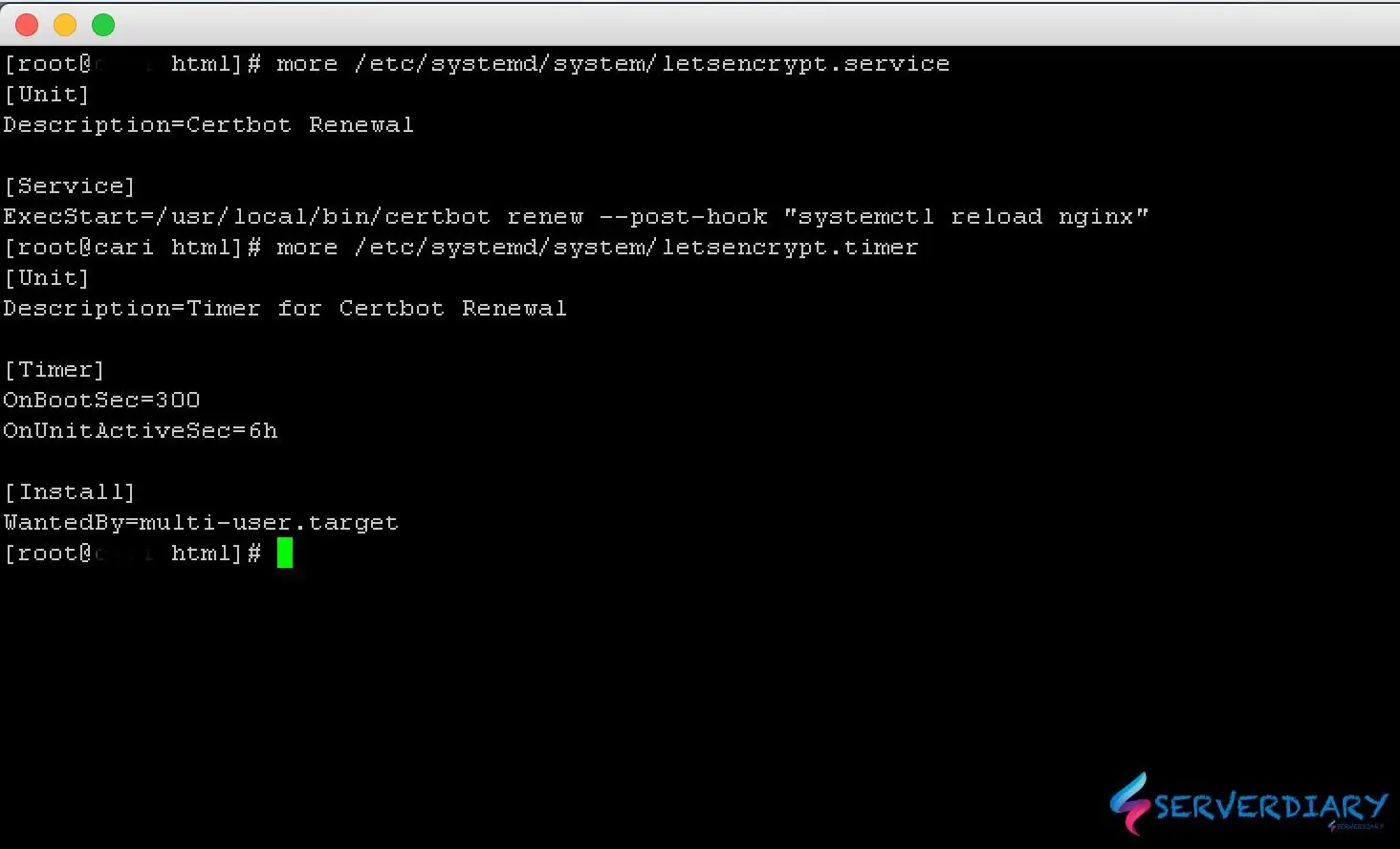
Create a file /etc/systemd/system/letsencrypt.service
# vi /etc/systemd/system/letsencrypt.serviceAnd paste code below:
[Unit]
Description=Certbot Renewal

[Service]
ExecStart=/usr/local/bin/certbot renew --post-hook "systemctl reload nginx"
Create a file /etc/systemd/system/letsencrypt.time
# vi /etc/systemd/system/letsencrypt.timerPaste code below:
[Unit]
Description=Timer for Certbot Renewal

[Timer]
OnBootSec=300
OnUnitActiveSec=6h

[Install]
WantedBy=multi-user.target
Change permission to 755:
# chmod 755 /etc/systemd/system/letsencrypt.service
# chmod 755 /etc/systemd/system/letsencrypt.timer
Reload sysmctl daemon, enable at system start and start services with command:
# systemctl daemon-reload
# systemctl enable /etc/systemd/system/letsencrypt.service
# systemctl enable /etc/systemd/system/letsencrypt.timer
# systemctl start /etc/systemd/system/letsencrypt.service
# systemctl start /etc/systemd/system/letsencrypt.timer
Letsencrypt.timer will call Letsencrypt.service every 6 hours and if there is one SSL successfully renewed, Nginx service will be restarted.
Now we can forgot about Let’s Encrypt SSL Expiration time. But some times don’t forget to make sure your website’s SSL is renewed.

I consider something really special in this website. Linnie Urbanus Gagliano